
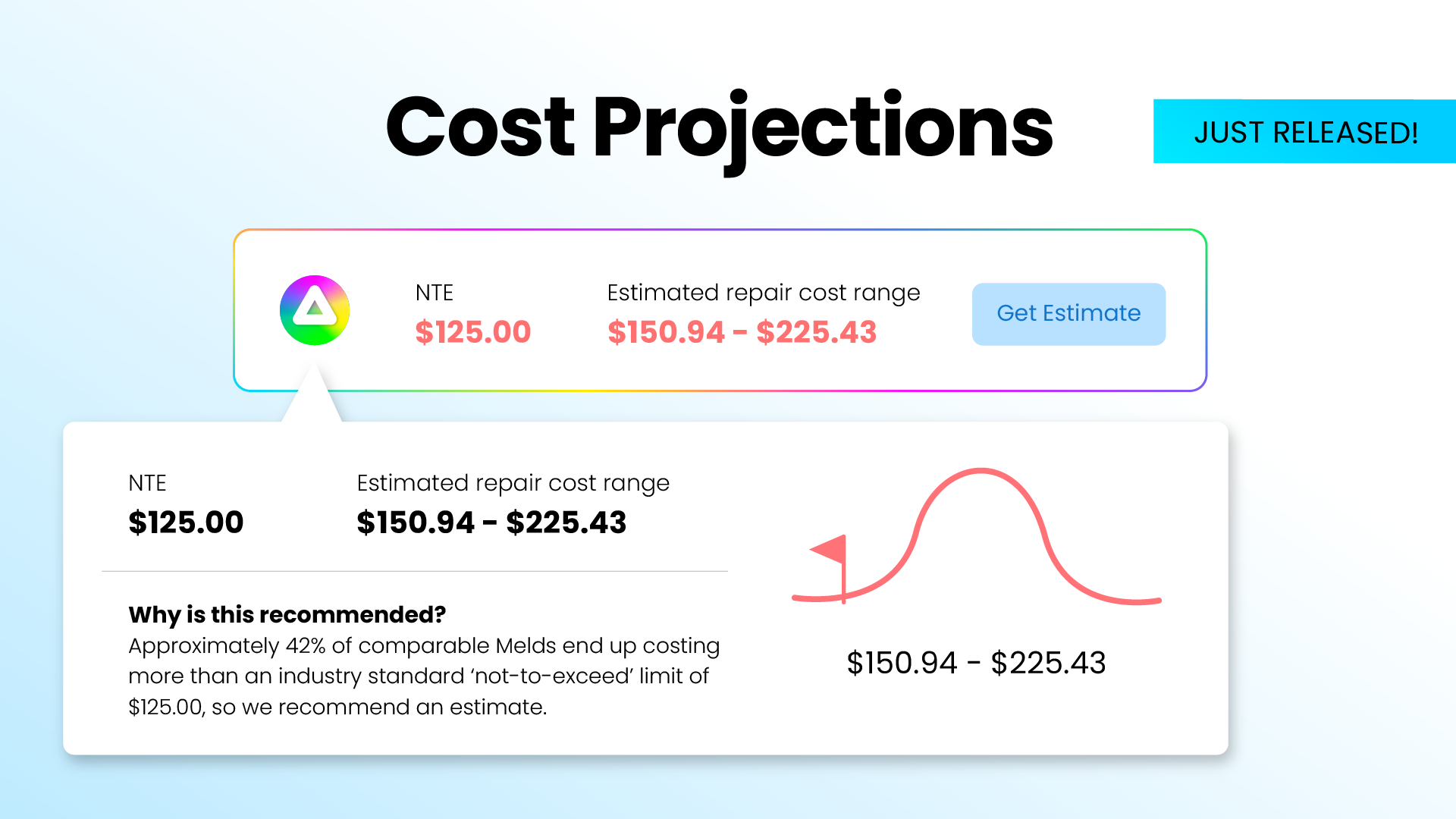
Cost projections
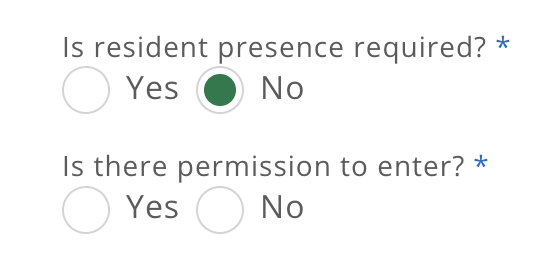
Permission to enter/resident presence required
[Coming soon] MAX On-Call multiple language support
MAX will be able to reply in the user’s preferred language for the following languages:
Spanish, Bulgarian, Hindi, Polish, Portuguese, Czech, French, Croatian, Romanian, Turkish, Korean, Slovak, Italian, Greek.
Additional language support will follow:
German, Dutch, Russian, Ukrainian, Hungarian, Nordics, Indonesian, Japanese, Mandarin, Arabic, Hebrew, Filipino, Thai, Tamil, Bengali
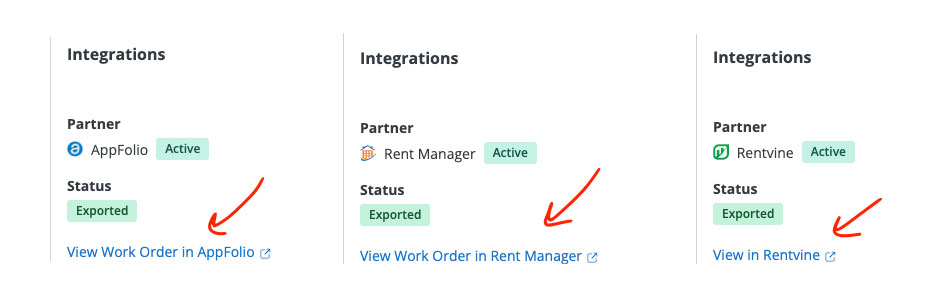
Links to accounting system on invoice
We’ve added the ability to view a work order in your accounting system (AppFolio, Rentvine, or Rent Manager) in Meld-created invoices.
Technician mobile app updates (v1.6.10)
- Improved calendar animations for a smoother experience
- Enhanced drag-to-reschedule for faster, more responsive date changes
- Fixed an issue where the keyboard could cover notes when completing a meld
- More Reliable Media Uploads (uploads now continue in the background and recover automatically, even after connectivity issues)
- Offline Support for Uploads (files are saved locally and upload when you’re back online)
- PDF Viewing Support (open and view PDF files directly in the app)
- Enhanced Scheduling (see resident availability, key entry details, and navigate more smoothly between calendar views)
- UI & Navigation Improvements (cleaner notes experience and improved in-app routing during guided flows)
- Users will now see the resident’s phone number when pressing the phone icon.
[AppFolio-integrated users] Change “Expenditures” to “Bills”
AppFolio-integrated users can choose in-app whether to export bills as Bills or Billable Items.